
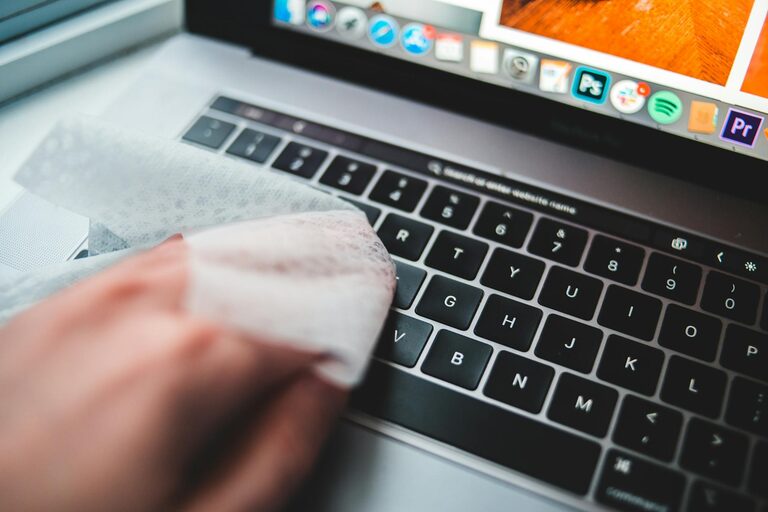
Keeping your phone and keyboard clean is essential—not only for hygiene but also for maintaining the functionality and appearance of your devices. Dust, dirt, and oils from your hands can accumulate over time, potentially causing damage or making your devices less pleasant to use.
In this guide, we’ll explore how to clean your phone and keyboard safely, using gentle techniques and common household items to avoid any harm.
Why Regular Cleaning Matters
Phones and keyboards are some of the most frequently touched items in our daily lives. They can harbor germs, dirt, and debris, which may lead to unpleasant odors, sticky keys, or even device malfunctions. Regular cleaning keeps them looking good, working well, and reduces the spread of bacteria.
—
What You'll Need
Before you begin, gather the following supplies:
– Microfiber cloth (lint-free)
– Soft-bristled brush or compressed air can
– Cotton swabs
– Isopropyl alcohol (70% or higher)
– Distilled water
– Small spray bottle (optional)
– Toothpick or plastic tool (optional for crevices)
—
How to Clean Your Phone Safely
Step 1: Power Off and Unplug
Make sure your phone is turned off and disconnected from any charging cables or accessories. This will reduce the risk of short-circuiting or damage.
Step 2: Remove the Case
If your phone is in a case, remove it to clean both the case and the phone separately.
Step 3: Wipe with a Microfiber Cloth
Use a dry microfiber cloth to gently wipe the phone’s screen and body, removing fingerprints and surface dust.
Step 4: Prepare a Cleaning Solution
Mix equal parts of distilled water and isopropyl alcohol in a small spray bottle. This solution effectively disinfects without damaging the screen or coatings.
Step 5: Dampen the Cloth Slightly
Lightly dampen a microfiber cloth with the cleaning solution—never spray directly onto the phone to prevent moisture from entering openings.
Step 6: Clean the Surface
Gently wipe the screen, back, and sides using the dampened cloth. Avoid excessive pressure.
Step 7: Clean Ports and Buttons
Use a dry cotton swab or toothpick to carefully clean ports, buttons, and edges. Be gentle to avoid damage.
Step 8: Dry Thoroughly
Allow your phone to air dry before turning it back on or reconnecting accessories.
Step 9: Clean the Phone Case
If you use a plastic or silicone case, wash it with warm soapy water, rinse, and dry completely before reattaching.
—
How to Clean Your Keyboard Safely
Step 1: Turn Off and Unplug Keyboard
Disconnect the keyboard from your computer or power source to prevent any electrical issues during cleaning.
Step 2: Shake Out Loose Debris
Turn the keyboard upside down and gently shake to remove loose crumbs and dust.
Step 3: Use Compressed Air
Use a can of compressed air to blow out dust from between the keys. Hold the can upright and spray in short bursts.
Step 4: Brush Between Keys
A soft-bristled brush can help dislodge stubborn debris between the keys.
Step 5: Prepare Cleaning Solution
Similar to the phone, prepare a mixture of equal parts distilled water and isopropyl alcohol.
Step 6: Wipe Key Surfaces
Lightly dampen a microfiber cloth with the solution and wipe the tops of the keys and keyboard surface.
Step 7: Clean Around Keys With Cotton Swabs
Dip a cotton swab lightly in the solution and run it around the edges of keys to remove grime.
Step 8: For Sticky or Dirty Keys
If a key is sticky or visibly dirty, gently pry it off using a plastic tool (if your keyboard allows key removal) and clean underneath. Reattach carefully.
Step 9: Dry and Reconnect
Make sure everything is dry before plugging the keyboard back in.
—
Additional Tips for Device Care
– Clean Regularly: Aim to clean your devices at least once every week or two.
– Wash Hands: Clean hands reduce how much oil and dirt transfers to your devices.
– Avoid Harsh Chemicals: Bleach, ammonia, and other strong cleaners can damage screens and plastics.
– Keep Food and Drinks Away: This prevents spills and crumbs that can harm your devices.
– Use Screen Protectors and Keyboard Covers: They can make cleaning easier and protect your devices from grime.
—
Conclusion
Cleaning your phone and keyboard doesn’t have to be complicated. With just a few simple supplies and careful attention, you can keep your devices looking great and functioning smoothly. Following these steps regularly helps extend the lifespan of your gadgets and contributes to a healthier environment—especially important in our tech-filled lives.
Happy cleaning!